Refining the AI User Experience
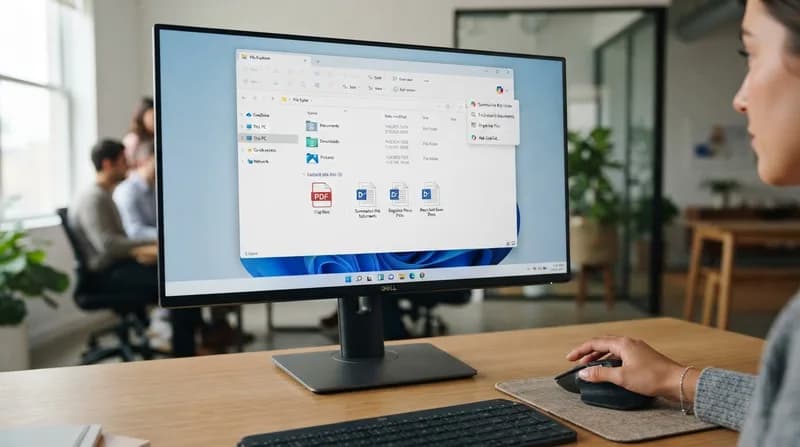
Microsoft is initiating a significant cleanup of the Windows File Explorer interface, specifically targeting the right-click context menu within OneDrive. Starting in mid-November and concluding by early December, the tech giant will remove a series of dedicated AI shortcuts that have increasingly crowded the user interface. While the AI integration itself remains a core part of the OneDrive experience, the company is pivoting toward a more streamlined, centralized approach to invoking its Copilot assistant.
Previously, users were greeted with a laundry list of specific Copilot-powered actions directly in their right-click menus, including options to generate FAQs, summarize documents, extract text, compare images, and explain visual content. These additions, while functional, contributed to an increasingly dense and overwhelming user interface. By consolidating these disparate tools, Microsoft is aiming to improve the usability and responsiveness of the file management experience.
What Changes, What Stays
Despite the purge of individual menu items, the core functionality of the AI assistant is not being deprecated. Microsoft is retaining the primary "Ask Copilot" entry point in the context menu. By selecting this option, users can initiate a chat session with their chosen file attached, effectively moving the specific tasks—such as summarization or Q&A—into the primary Copilot interface rather than keeping them as disjointed, one-off button clicks.
Additionally, users will still have access to these specialized actions via the OneDrive activity center and the Copilot icon located within the File Explorer Home dashboard. This consolidation represents a broader shift in Microsoft's product design philosophy: moving away from "unnecessary entry points" and toward a more cohesive, "thoughtful" integration of AI services across the Windows ecosystem.
Why It Matters
- Reduced Clutter: The File Explorer context menu has long been criticized for becoming sluggish and overly busy. This move simplifies the interface for power users and novices alike.
- Strategic Realignment: Microsoft is actively acting on comments made by Windows leadership earlier in 2026, which emphasized the need to curate where and how AI appears to users to avoid "feature fatigue."
- Improved Navigation: By moving specific AI tasks into the main "Ask Copilot" window, users benefit from a more conversational and contextual workflow, rather than relying on menu-specific triggers that may have been redundant.
This update serves as a notable example of a "less is more" approach. As AI features become standard components of operating systems, developers are finding that simply cramming every possible function into a right-click menu is not always the best path to productivity. By choosing a centralized UI for its generative models, Microsoft is prioritizing a cleaner, faster, and more intuitive user experience as it continues to evolve the Windows desktop environment.